Docker Volumes & Bind Mounts

Hi there! I'm Dinesh, a passionate Cloud and DevOps enthusiast. I love to dive into the latest new technologies and sharing my journey through blog.
Docker Volumes
In Docker, a volume is a mechanism for persisting data generated and used by containers. Volumes are stored on the host filesystem outside the container's file system, making them an ideal solution for managing persistent data in a containerized environment.
Creating and Configuring Docker Volumes
Step 1 : Create a Volume
docker volume create my-vol

Step 2 : Verify the Volume Creation
docker volume ls

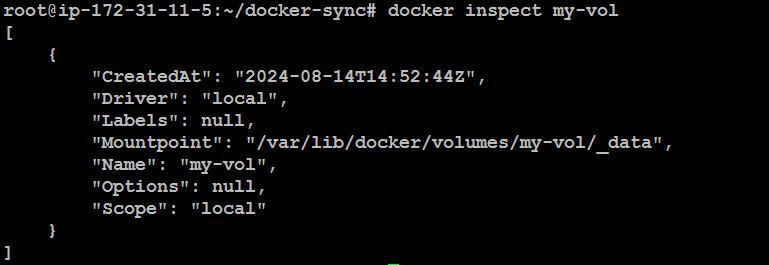
Inspect the created volume
docker inspect my-vol
Step 3 : Access the Volume
Navigate to the volume's mount point on the host system:
cd /var/lib/docker/volumes/my-vol/_data

Step 4 : Run Containers Using the Volume
Launch a container with the volume mounted to port 5050:
docker run -itd --mount source=my-vol,destination=/usr/local/apache2/htdocs -p "5050:80" httpd

Launch another container using the same volume but on port 6060:
docker run -itd --mount source=my-vol,destination=/usr/local/apache2/htdocs -p "6060:80" httpd

Step 5 : Verify Content Synchronization
Now i have launched 2 containers with different port

Read the index.html file in inside volume

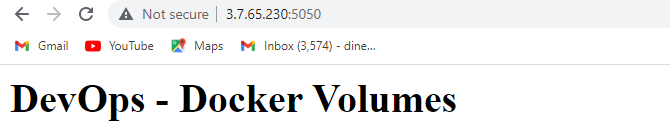
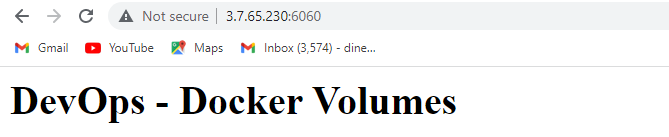
Access the container on port 5050 and 6060. You'll see the same content because both containers share the same volume.
5050 port

6060 port

Update the index.html file in the volume.


The changes will reflect immediately in both containers at ports 5050 and 6060.
5050 port
6060 port
Docker Bind Mounts
Bind mounts allow you to link a directory or file from the host system to a container. Changes made to the bind-mounted file or directory are immediately reflected on both the host and the container.
Configuring Bind Mounts :
Step 1 : Prepare the Host Directory
Create a directory on your host that you want to mount into the container:

Step 2 : Run a Container with a Bind Mount
Launch a Docker container with the bind mount specified:
docker run -itd -p "6060:80" -v "/root/docker-sync:/usr/local/apache2/htdocs" httpd

Step 3 : Verify the Container
Check running containers:
docker ps

Access the container’s terminal:
docker exec -it 13ad964d0800 /bin/bash

Navigate to the /usr/local/apache2/htdocs directory inside the container:
Initially, the directory may be empty.

Exit the container

Now, Check the container port number, it is showing default content

Create an index.html file in the /root/docker-sync directory on your host machine.


Step 4 : Check Content Synchronization
Refresh the container’s content by accessing it via the public IP and port 6060. The index.html file content should automatically update inside the container reflecting changes made on the host.

Conclusion
Docker Volumes: Docker volumes are ideal for persisting and sharing data across containers, ensuring data remains consistent and managed even when containers are recreated.
Docker Bind Mounts: Bind mounts enable real-time synchronization between host files and containers, making them perfect for development scenarios where immediate file updates are needed.