Managing file systems and partitions is essential for effective data organization and optimal system performance in Linux. In this blog, we'll cover the basics of file systems, how to create and manage partitions, and best practices for maintaining them.
What is a File System?
A file system in Linux defines how data is stored and accessed on storage devices. Common Linux file systems include ext4, XFS, and Btrfs, each offering unique features suited to different use cases. For example, ext4 is widely used due to its reliability and performance, while XFS is preferred for handling large files, and Btrfs is popular for its advanced features like snapshots.
Understanding Partitions
Partitions divide your hard drive into distinct sections, allowing for better data management. In Linux, you can create primary, extended, and logical partitions. Proper partitioning not only helps with data organization but also improves system performance.
Step-by-Step Guide to Partitioning
Step 1: Add the new disk
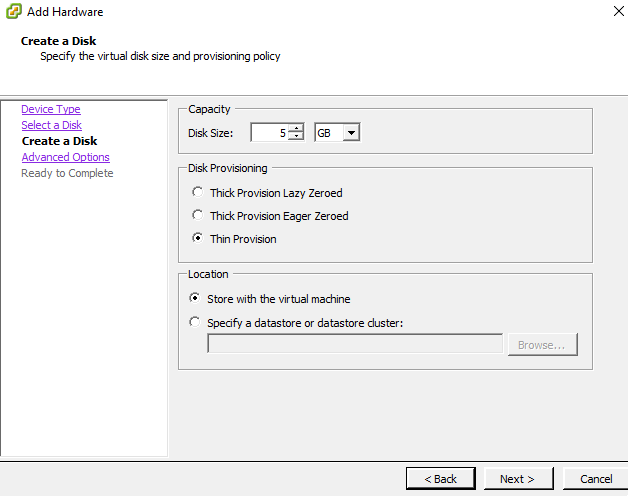
In this guide, a 5GB virtual disk has been added in vSphere for testing purposes.
Step 2: Check the Disk
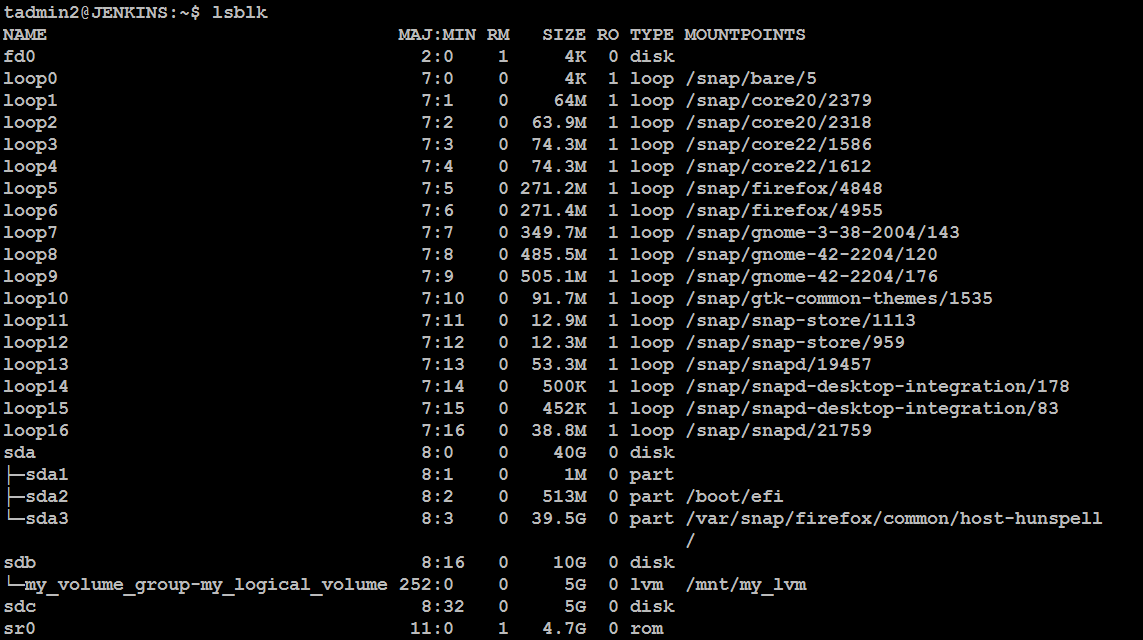
Once you've added the new virtual disk, verify that Linux recognizes it by running the following command:
lsblk
You'll see a list of disks, including your newly added one (e.g., /dev/sdb or /dev/sdc).
Step 3: Create Partitions with fdisk
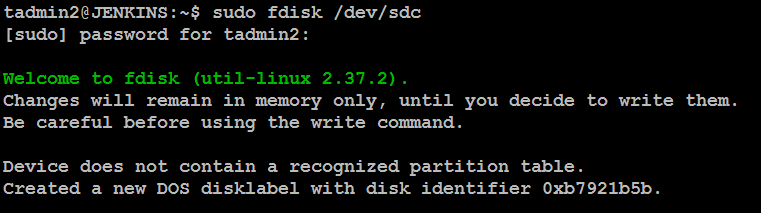
Linux provides tools like fdisk and parted for partitioning. Here's how to use fdisk:
Open a terminal and run:
Replace sdX with your new disk identifier (e.g., /dev/sdc).
sudo fdisk /dev/sdX
Create a new partition:
Type
nto create a new partition, and follow the prompts:Primary or Extended Partition: Select
pfor a primary partition.Partition Number: Press
Enterto accept the default.First Sector: Press
Enterto accept the default.Last Sector: If you want to use the entire disk, press Enter. For a specific size (e.g., 3GB), type
+3G.Press
pto print the partition table and verify the changes.
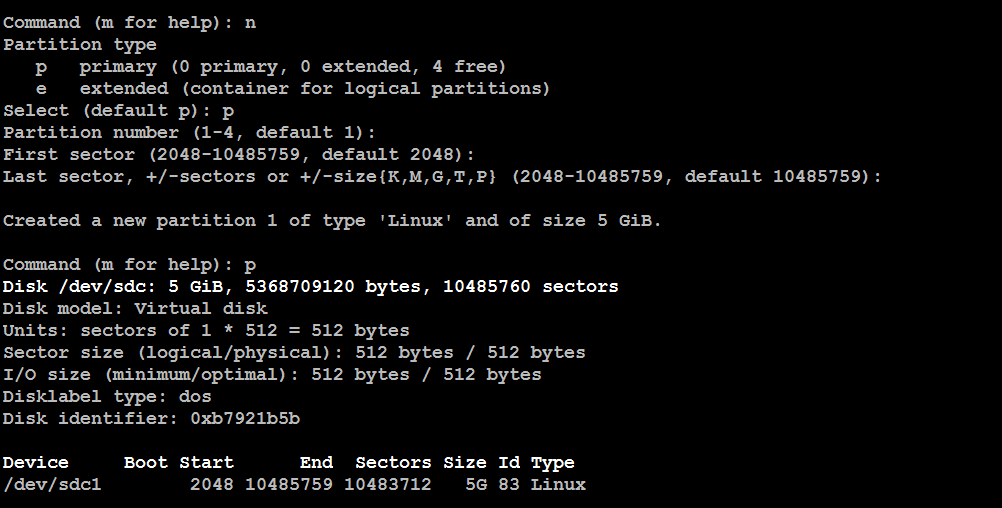
Write the changes:
Press w to write the changes and exit fdisk.

Step 4: Format the Partition
Before formatting, check the disk name by running:
lsblk
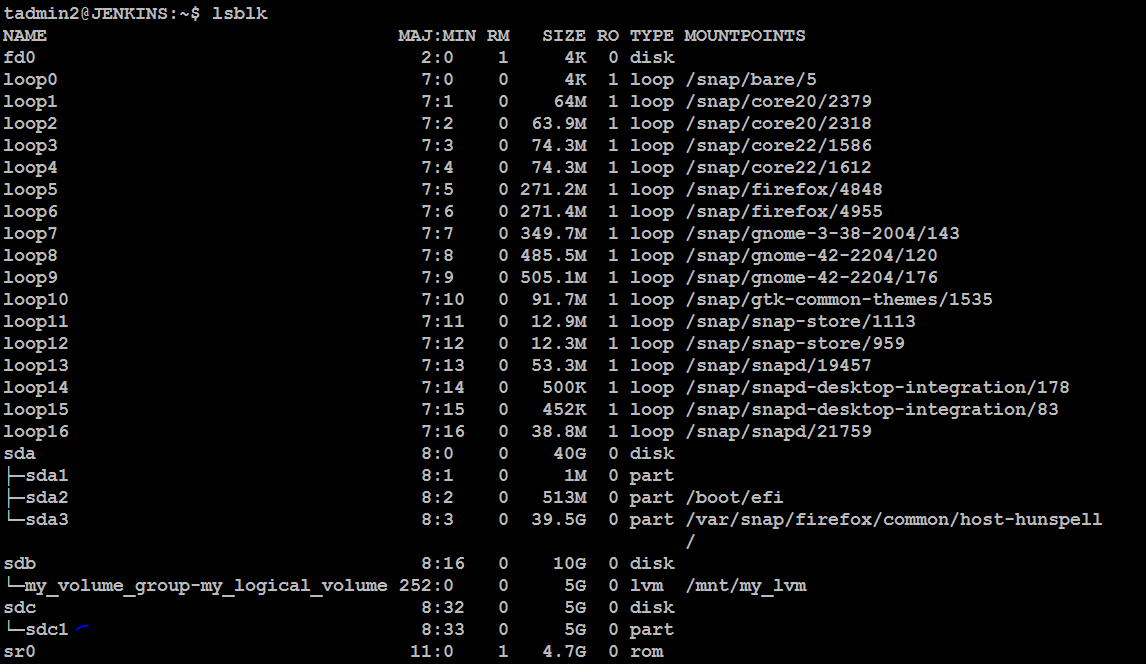
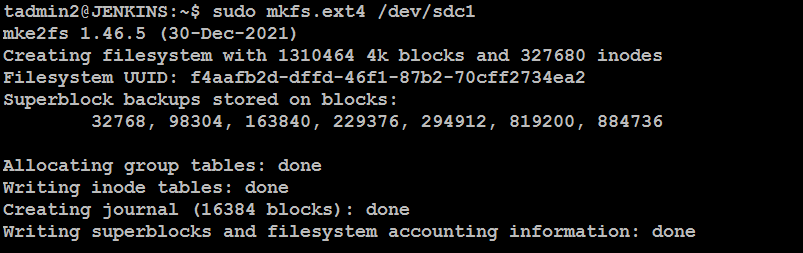
Now, format the newly created partition with the ext4 file system:
sudo mkfs.ext4 /dev/sdX1
Replace sdX1 with the partition identifier (e.g., /dev/sdc1).
Step 5: Mount the Partition
Create a mount point and mount the partition:
sudo mkdir /mnt/newdisk
sudo mount /dev/sdX1 /mnt/newdisk

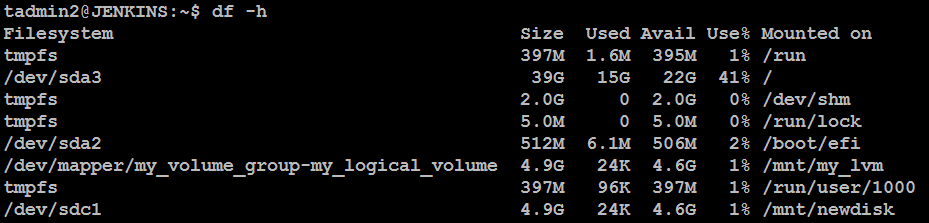
Your partition is now ready to use. Verify the mounted disk by running:
df -h
Conclusion
Effectively managing file systems and partitions in Linux is crucial for enhancing system performance and ensuring well-organized data. Familiarizing yourself with these concepts will make you a more proficient system administrator, capable of optimizing storage devices for various use cases.
About the author
Hi there! I'm Dinesh, a passionate Cloud and DevOps enthusiast. I love to dive into the latest new technologies and sharing my journey through blog.
Comments
Join the discussionNo comments yet. Be the first to comment.