Jenkins Master-Slave Configuration

Hi there! I'm Dinesh, a passionate Cloud and DevOps enthusiast. I love to dive into the latest new technologies and sharing my journey through blog.
In Jenkins, a master-slave configuration (also referred to as controller-agent configuration) involves setting up a primary Jenkins instance (the master or controller) that manages jobs, configurations, and orchestrates the build processes, and one or more additional machines (the slaves or agents) that execute the actual build tasks.
Agenda:
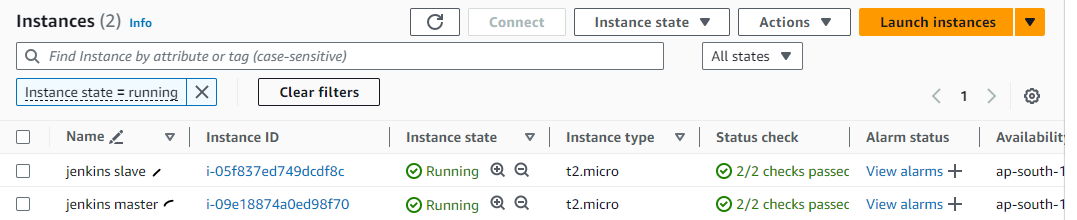
Create 2 EC2 instances for the master machine & slave machine
Install Java & Jenkins in the Master machine
Generate SSH key pairs in the Master machine
Install Java in the slave machine
Configure the authorised key in the slave machine.
Setup of nodes in Jenkins server UI (Master Machine)
Step 1 : Create 2 EC2 instances for the master machine & slave machine
Step 2 : Install Java & Jenkins in the Master machine
I have already installed both.

Jenkins service is running

Step 3 : Generate SSH key pairs in the Master machine
Generate SSH key pairs on Master machine
ssh-keygen -t rsa
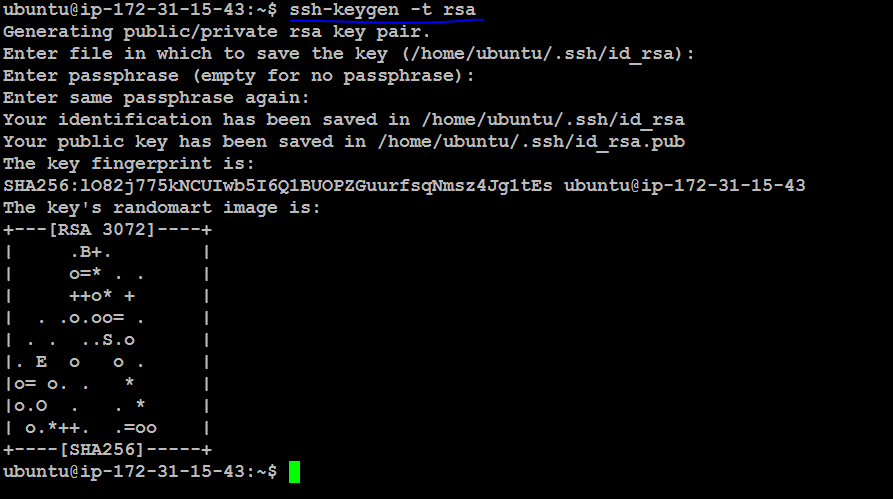
Go to SSH path & Check Keypair

Step 4 : Install Java in the slave machine
I have already installed.

Step 5 : Configure the authorised key in the slave machine.
Go to Master machine, Copy the public key "id_rsa.pub"
cat id_rsa.pub

Go to slave machine :
Paste the authorized key in the slave machine

Step 6 : Setup of nodes in Jenkins server UI (Master Machine)
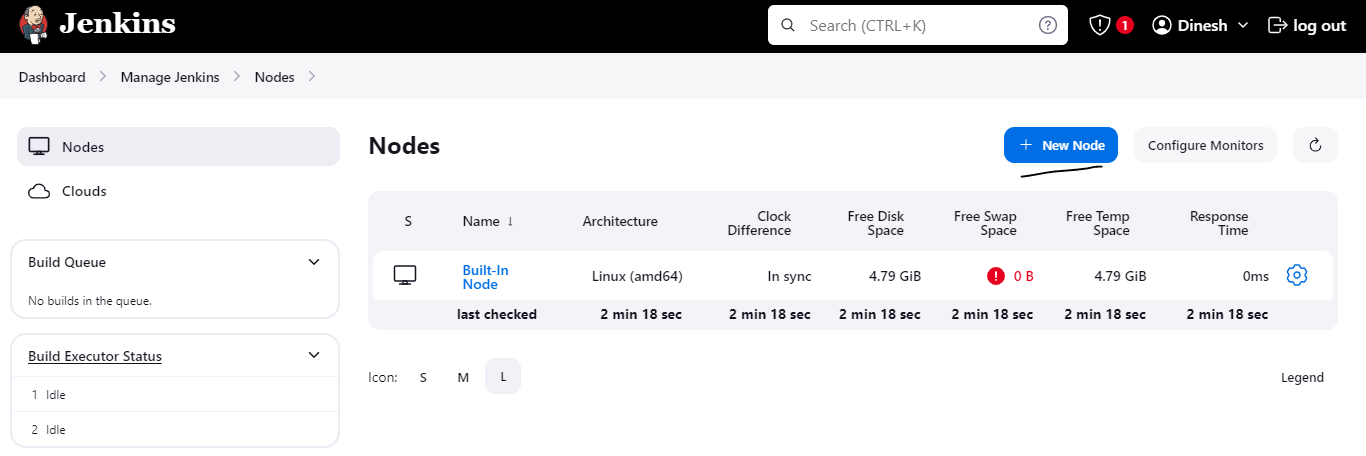
Go to manage Jenkins & Click on Nodes
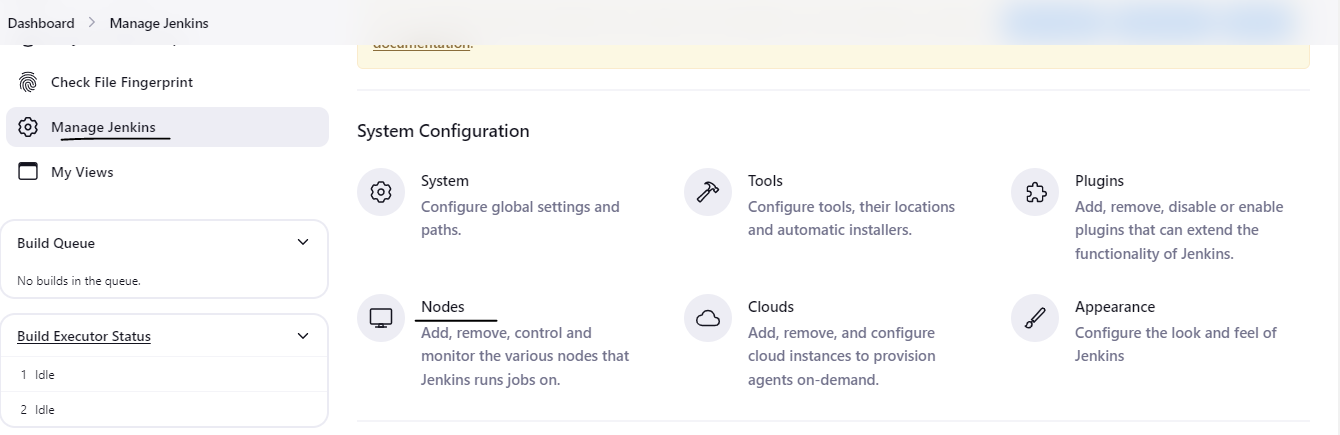
Click on "New Node"
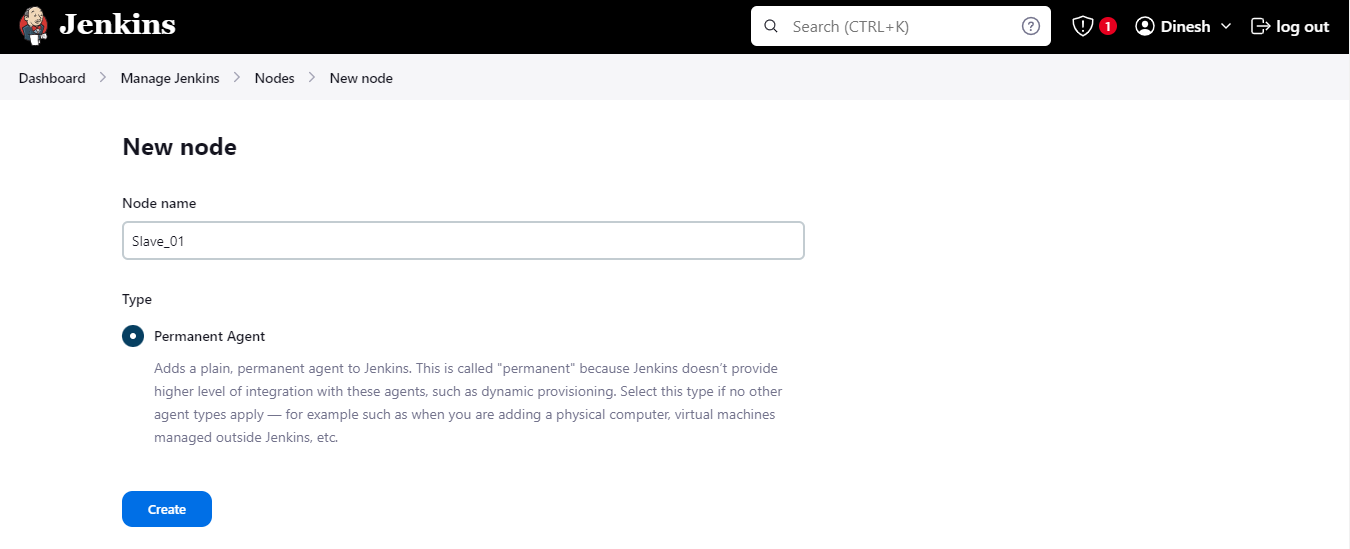
Enter node name, Click Permanent Agent & Click create
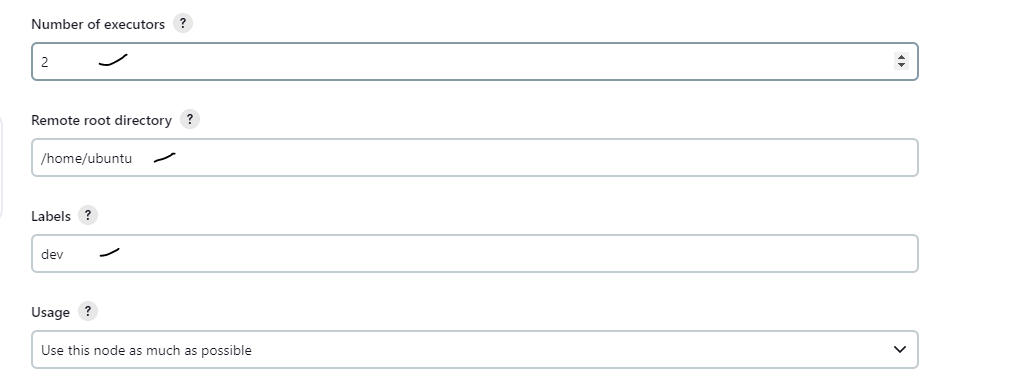
Go to Slave Machine & Copy the /home/ubuntu directory or Create new directory
Set number of executer, your need
In "Remote directory", paste the /home/ubuntu
Set labels "Any"
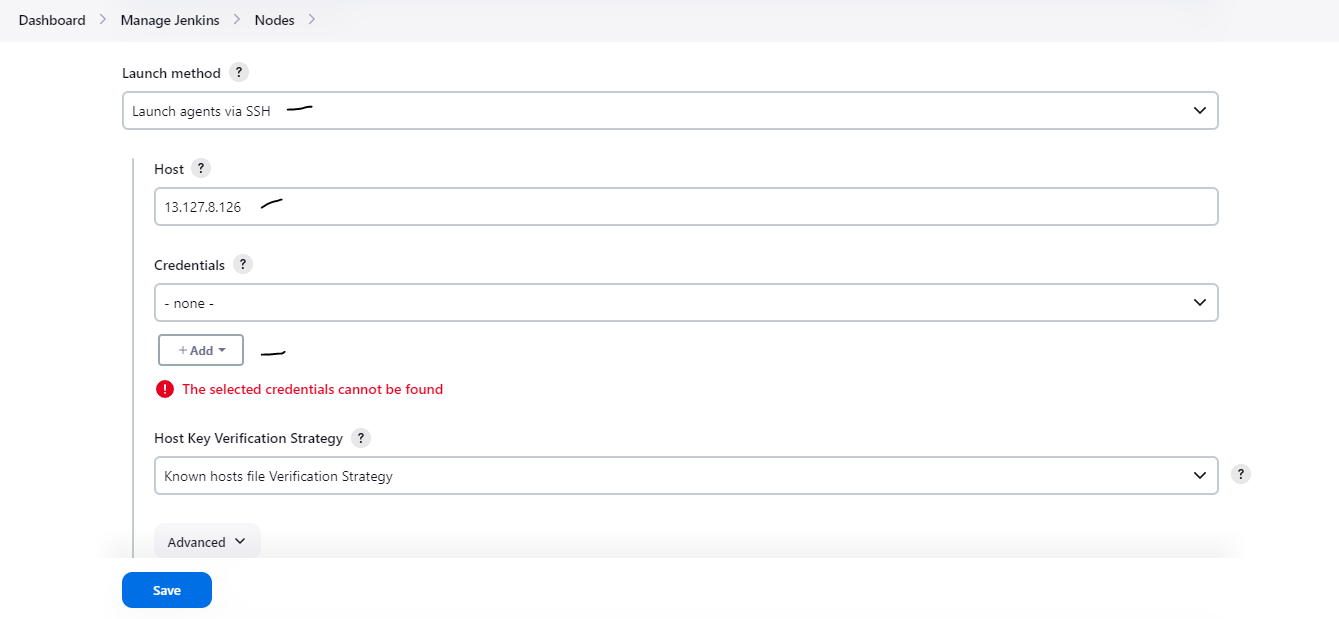
Click on "Launch method" - Choose "Launch agents via ssh"
In Host, Enter the Slave machine public ip address
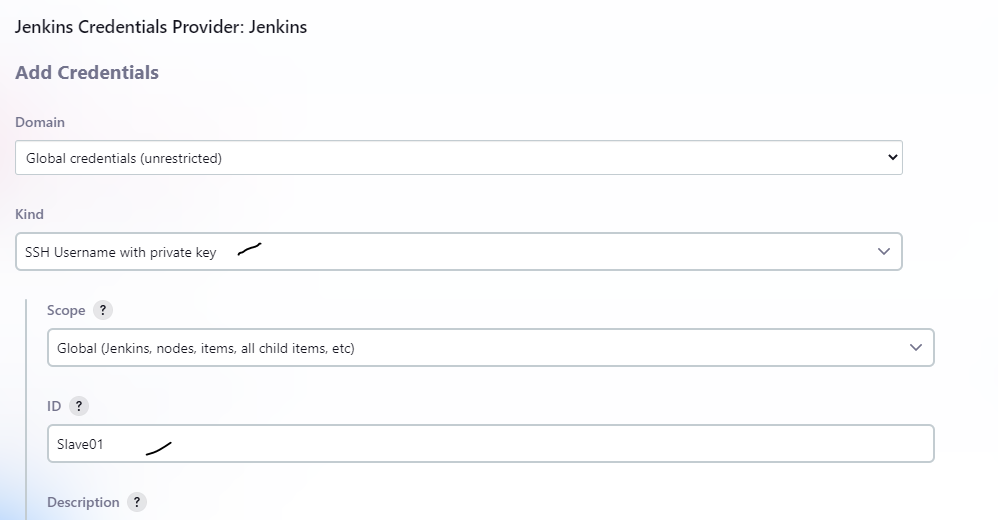
Click on credentials - Add
In Kind, Select "SSH Username with private key"
In ID, Set any name
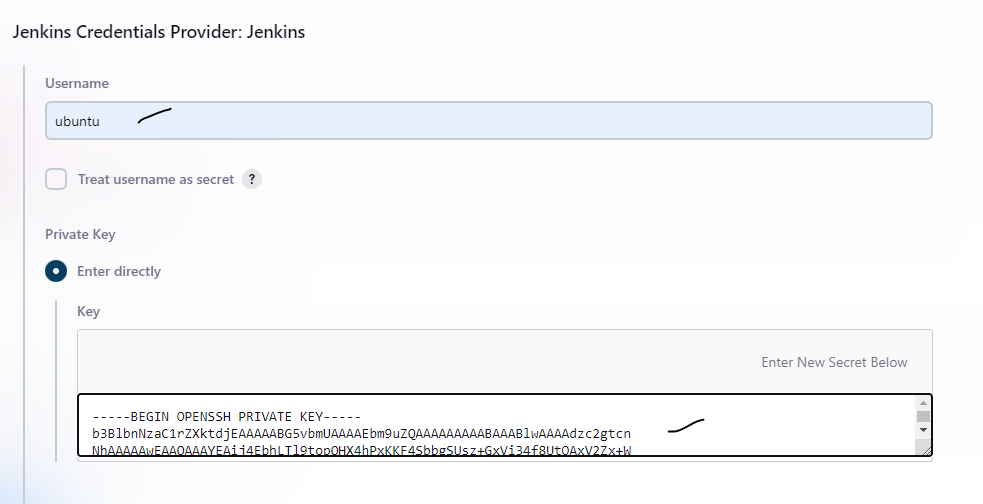
In username, Enter Slave machine User name
In Private key, Copy the private key from master machine & Paste it
Scroll down, Click "Add"
Choose create credentials
In host key verification strategy, Select "Non............." & Click "Save"
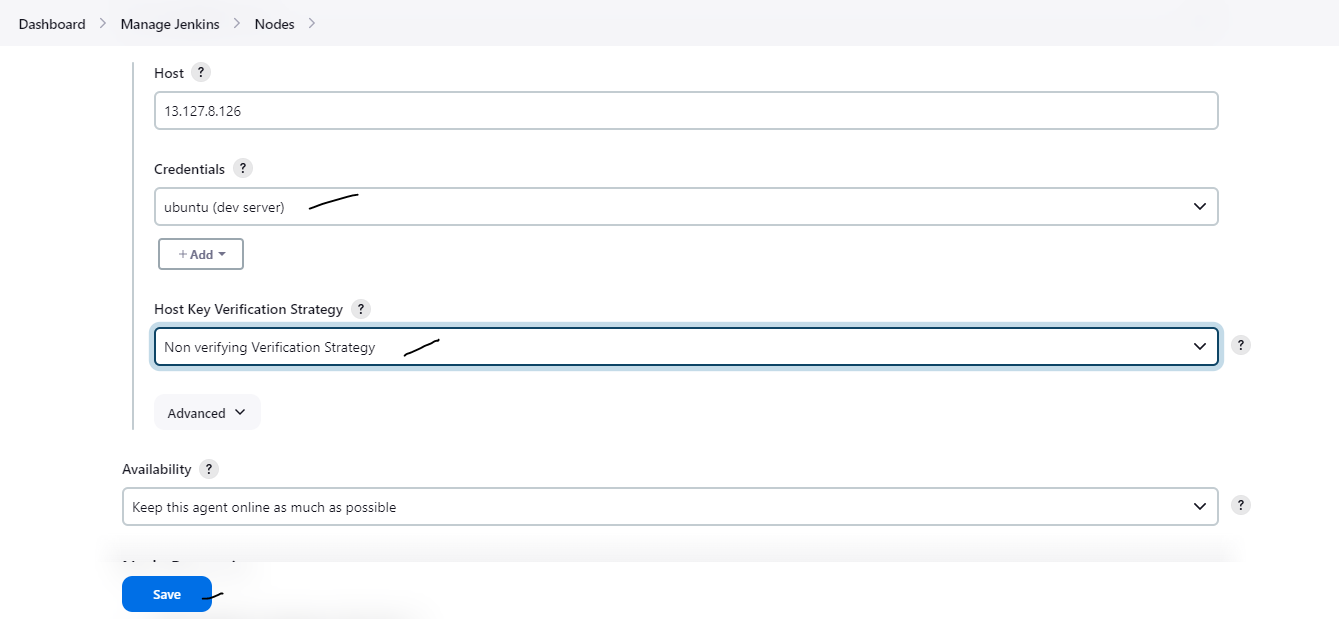
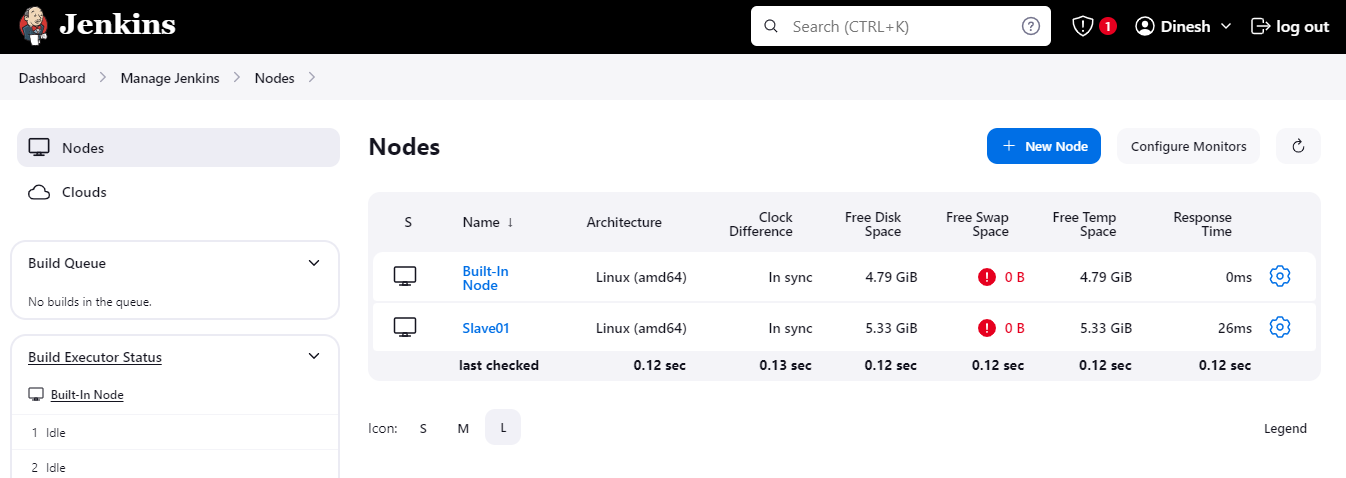
Now, Slave machine configured successfully in the Jenkins master machine node