
Jenkins is a powerful tool for Continuous Integration and Continuous Deployment (CI/CD). As with any critical system, ensuring that your Jenkins setup is backed up and can be restored is essential.
Why Backup Jenkins?
Backing up Jenkins is crucial for several reasons:
System Failures: Hardware or software failures can occur, and a backup ensures you can quickly recover.
Human Error: Mistakes can happen, such as accidental deletion of jobs or configuration changes.
Upgrades and Migration: When upgrading Jenkins or migrating to a new server, having a backup helps prevent data loss.
Agenda :
1 : Install ThinBackup plugin
2 : Configure ThinBackup Plugin
3 : Backup and Restore
Step 1 : Install ThinBackup plugin
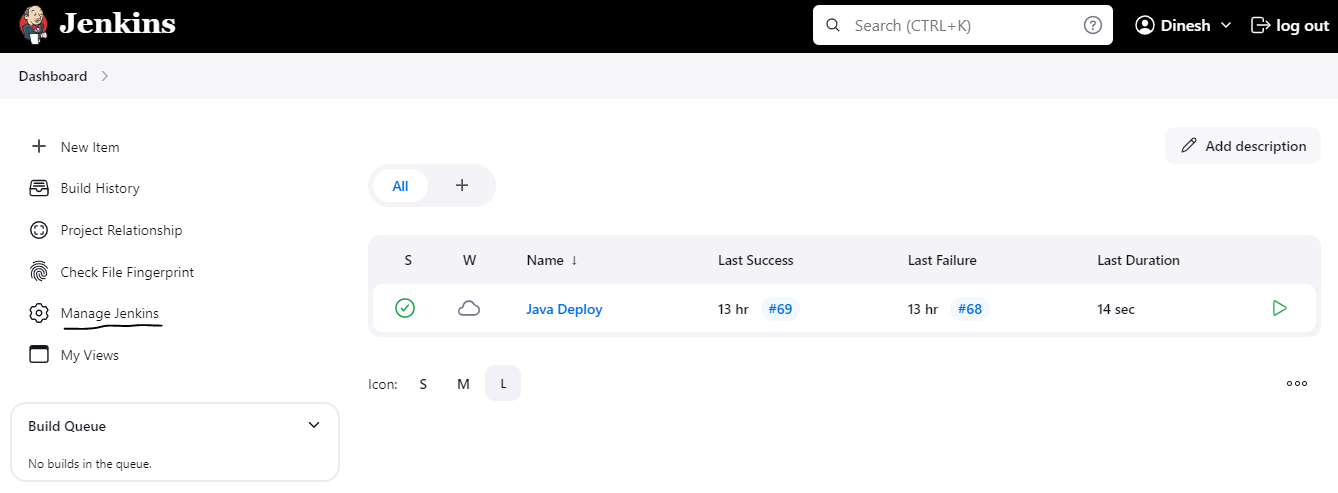
Click on Manage Jenkins
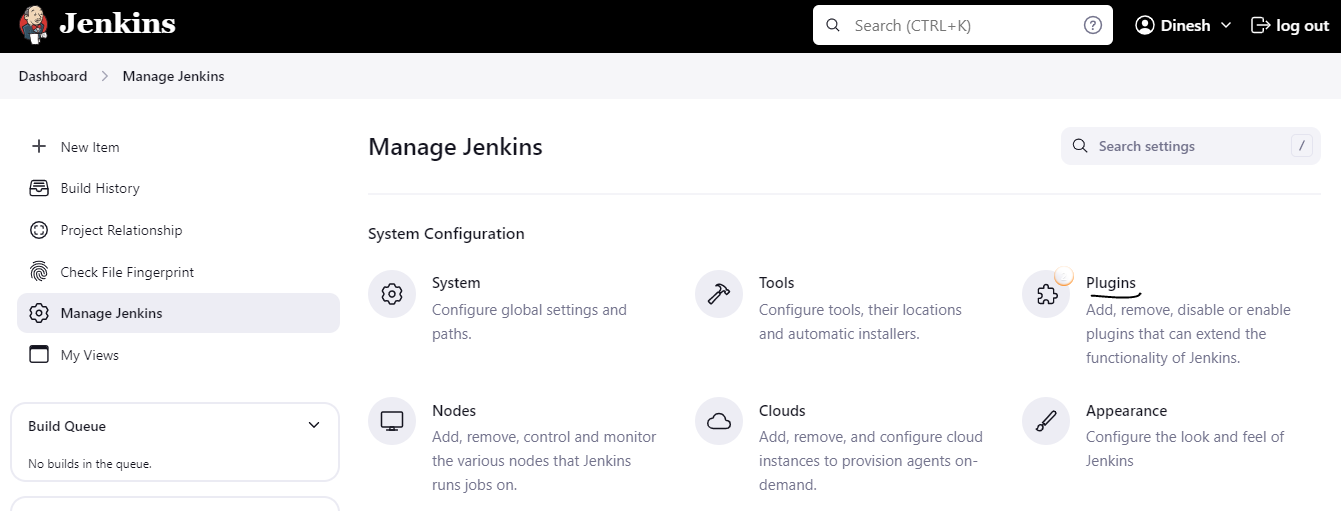
Navigate to Plugins
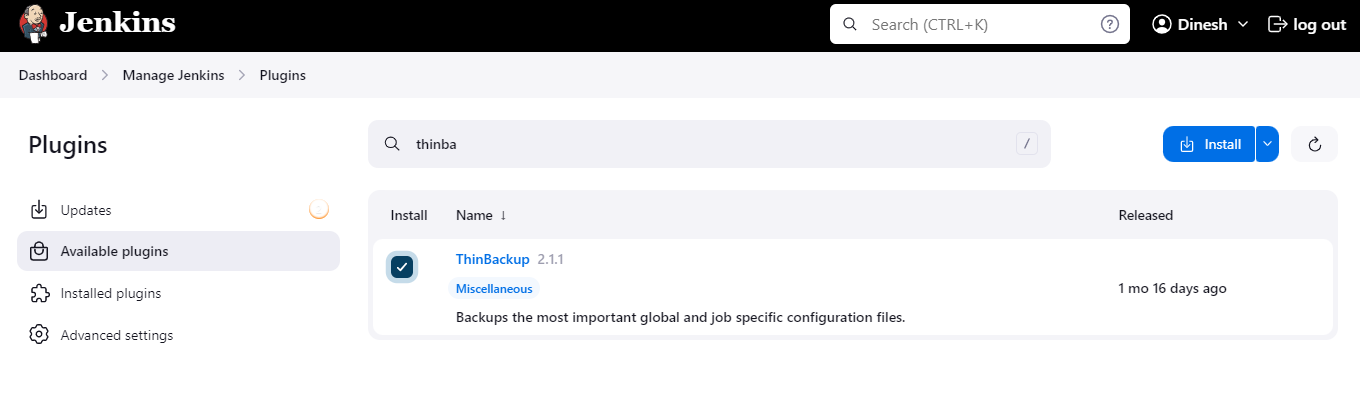
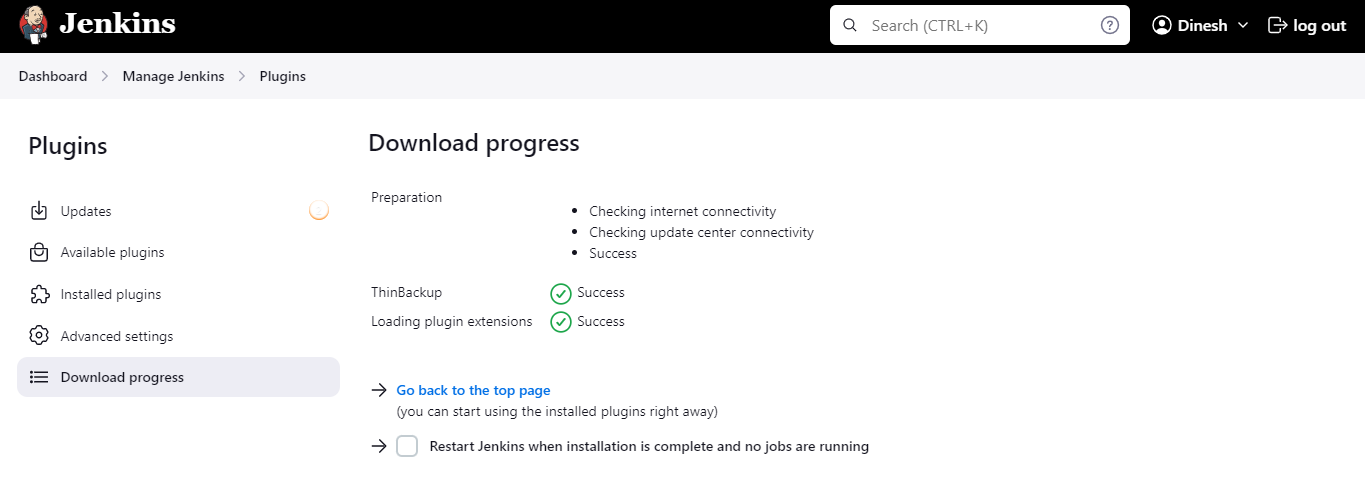
Click on Available plugin , search for ThinBackup and install it
Step 2 : Configure ThinBackup Plugin
Now check in the Manage Jenkins page; the ThinBackup feature is newly added.
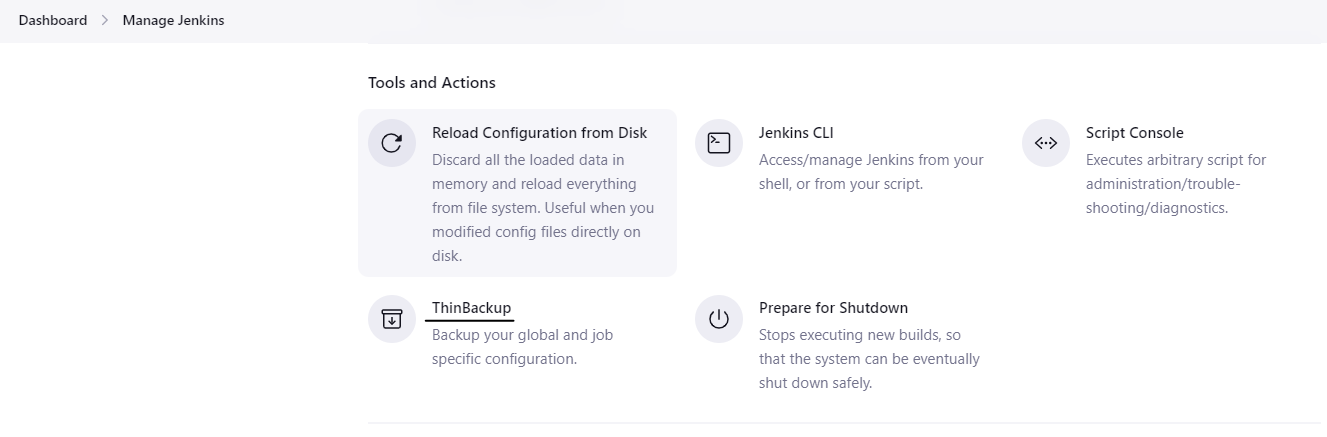
Create a folder jenkins_backup inside /var/lib/jenkins on your Jenkins machine.

Give permission to that directory

Go to Manage Jenkins > Click on System > Enter backup dir path
Add backup path /var/lib/jenkins/jenkins_backup
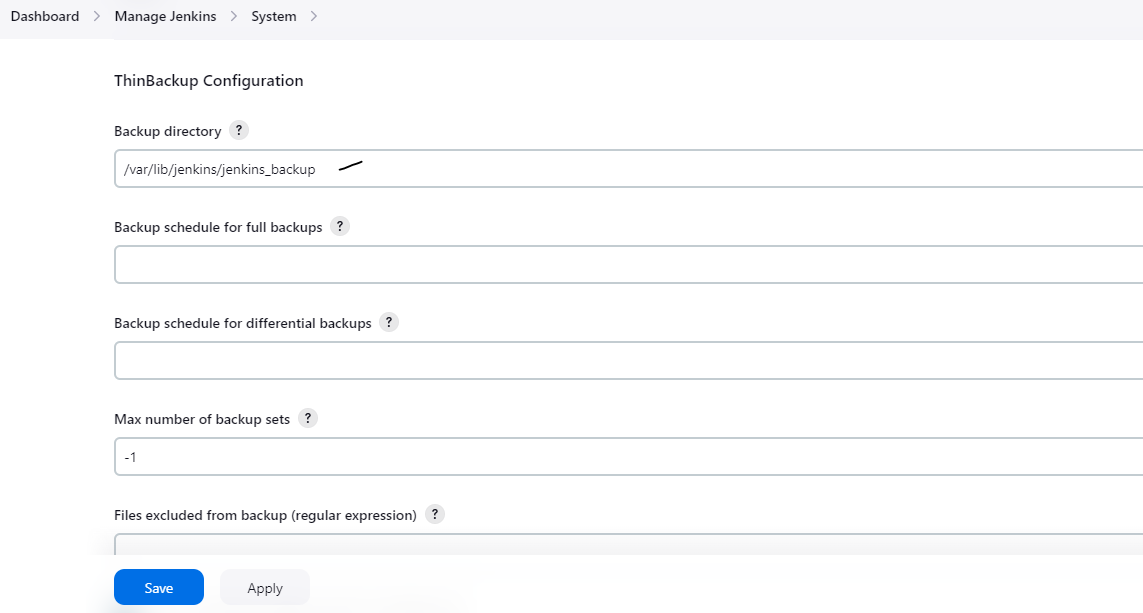
Select needed options > Click Save
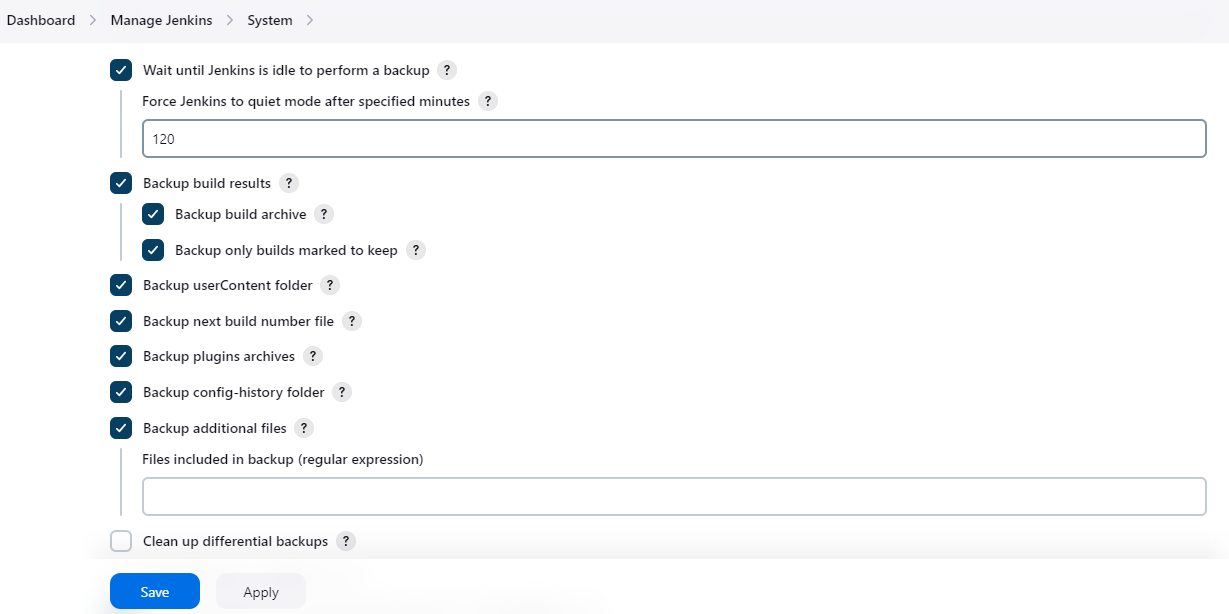
Step 3 : Backup and Restore
Click Backup now option, this will take few seconds
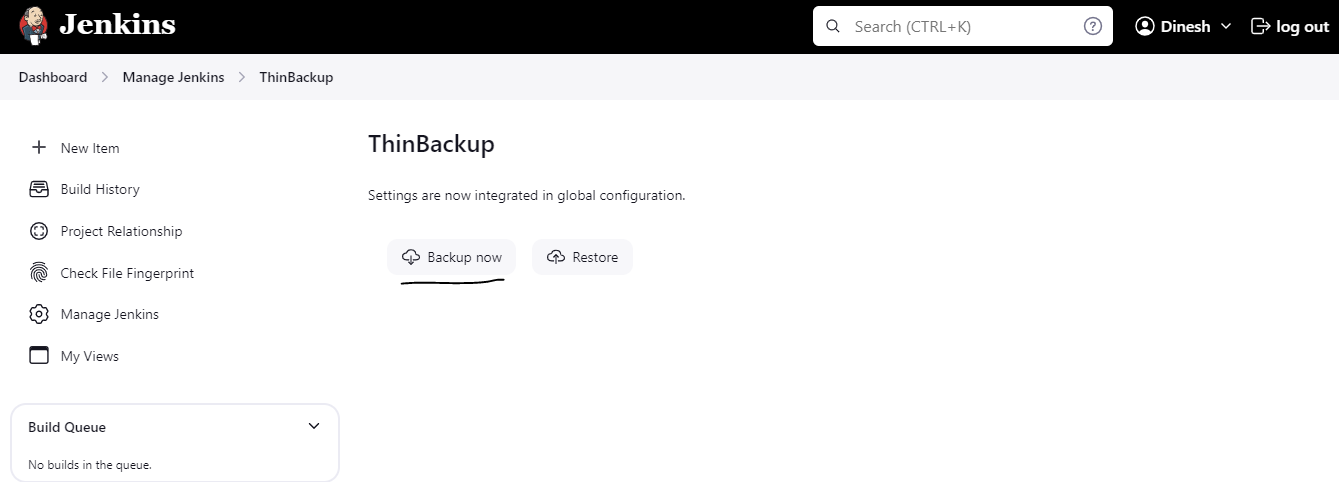
Go to the backup directory you specified earlier. Ensure that backup files have been created

To ensure your backups are working correctly, delete any job
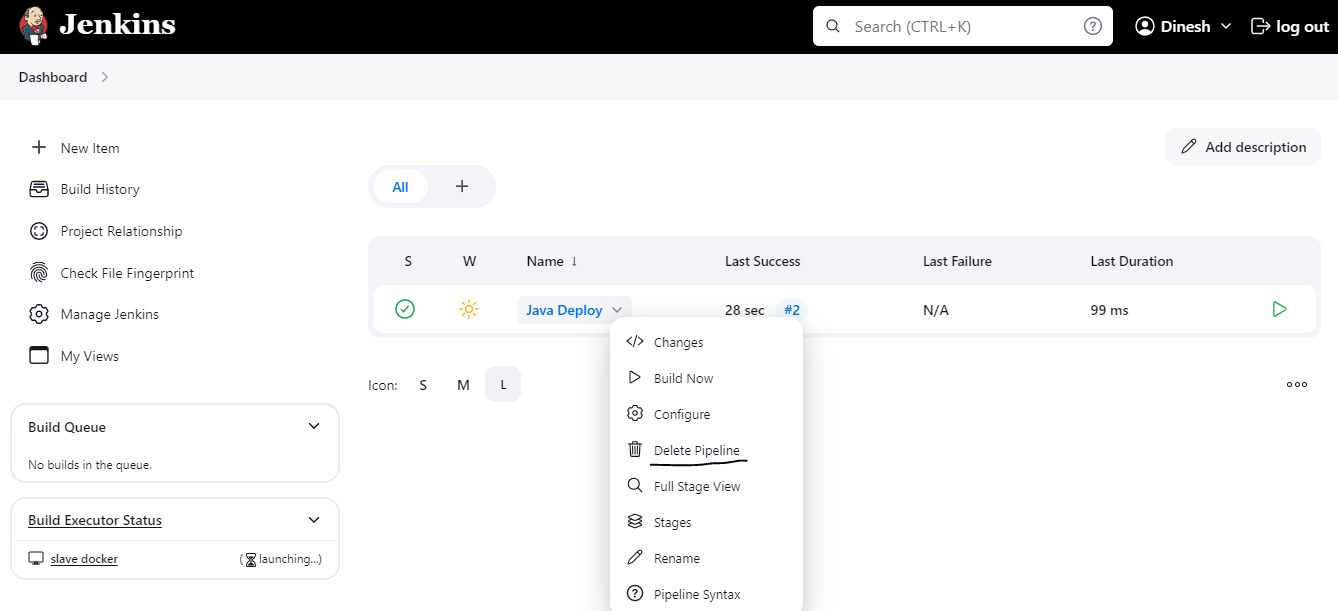
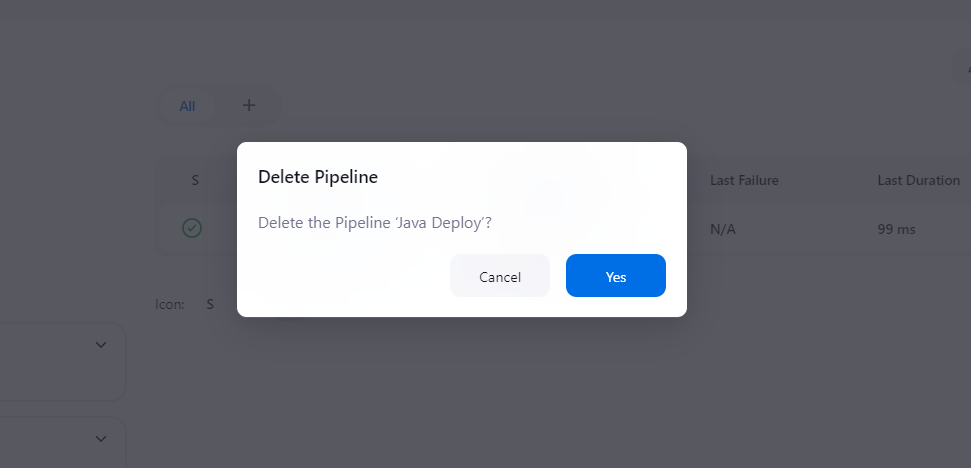
Click Yes
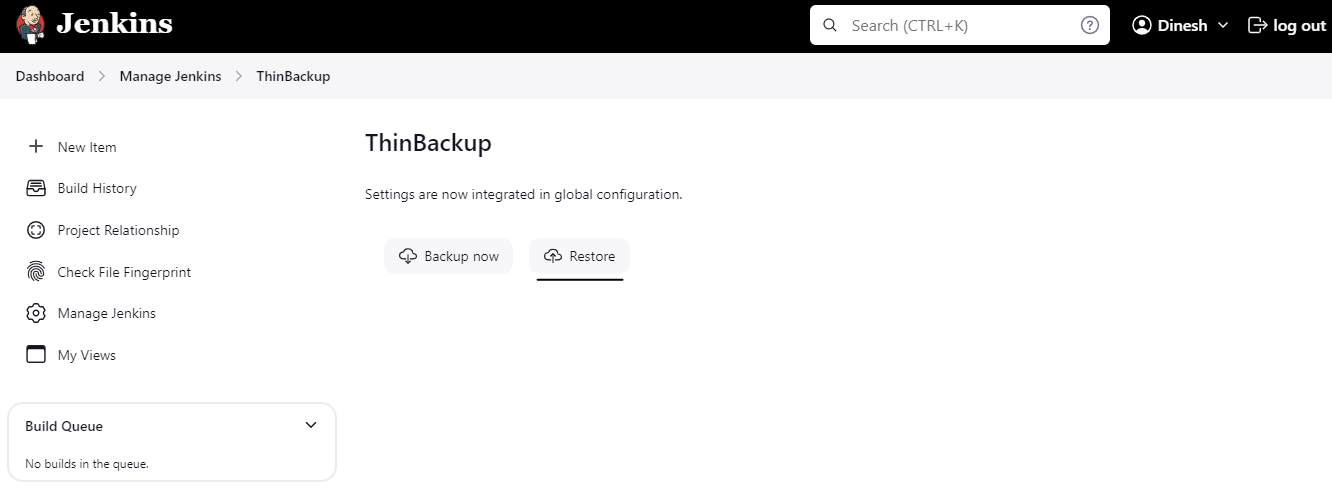
Now, Click Restore option
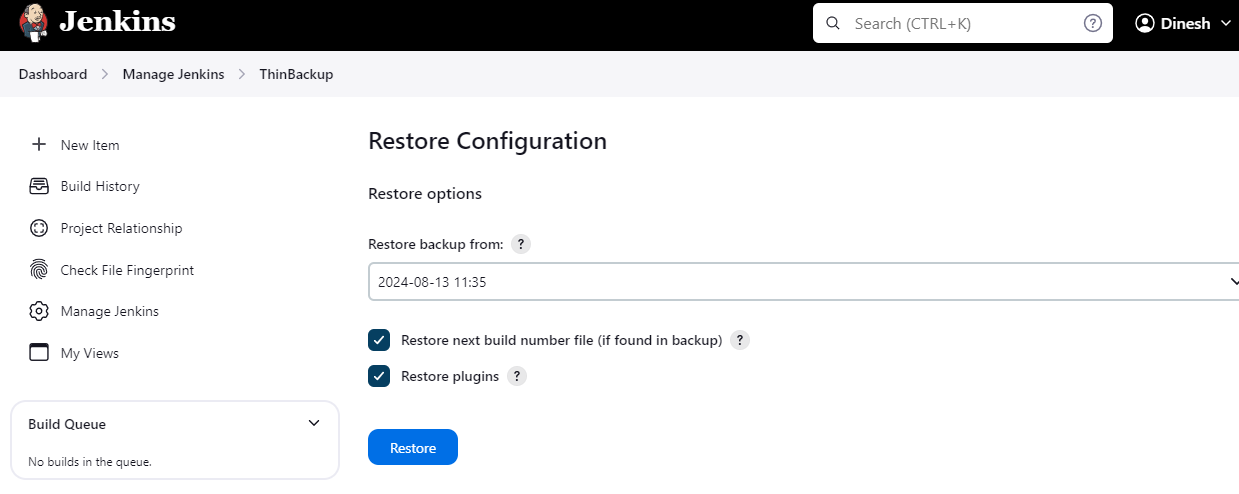
Choose your backup date & time > Click Restore
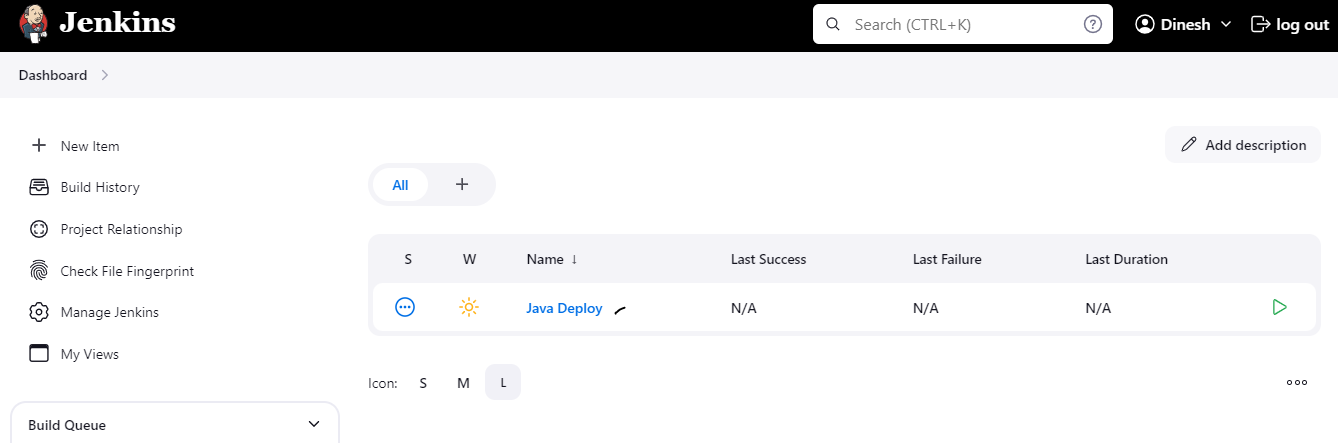
Now, you can see deleted jobs.
Conclusion
Backing up and restoring Jenkins is a crucial part of maintaining a reliable CI/CD pipeline.
About the author
Hi there! I'm Dinesh, a passionate Cloud and DevOps enthusiast. I love to dive into the latest new technologies and sharing my journey through blog.
Comments
Join the discussionNo comments yet. Be the first to comment.